Managing Stages
Aside from adding and deleting Stages, you can also do a few other things to improve productivity.
Reordering
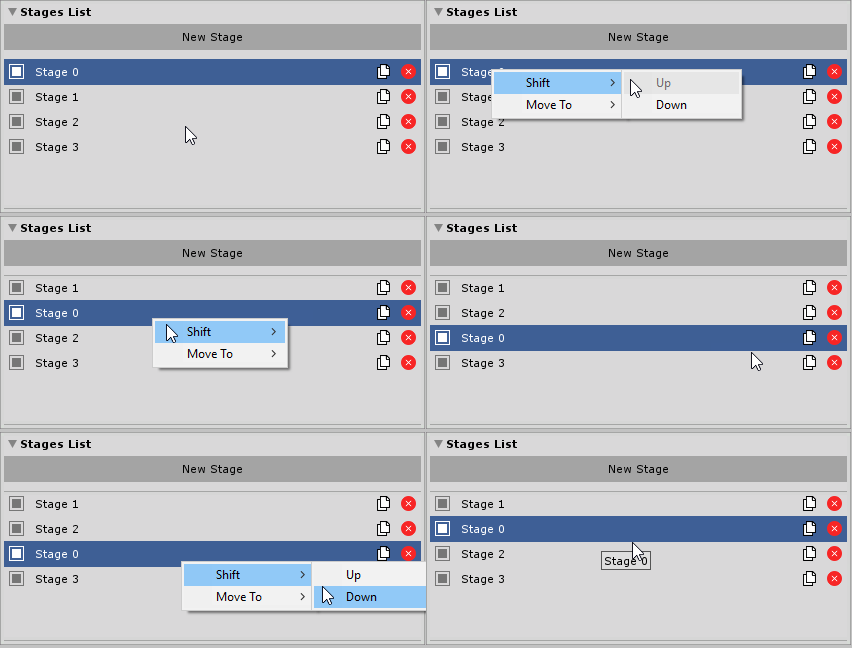
You can change the order of stages in a tutorial. Right-click on a Stage that you wish to move and select Shift → Up or Shift → Down.
Moving to different Tutorial
You can move Stage from one tutorial to another. Right-click on a Stage that you wish to move and hover over the Move To item. From there, you will see all available tutorials that you can move your Stage into.

Duplicating
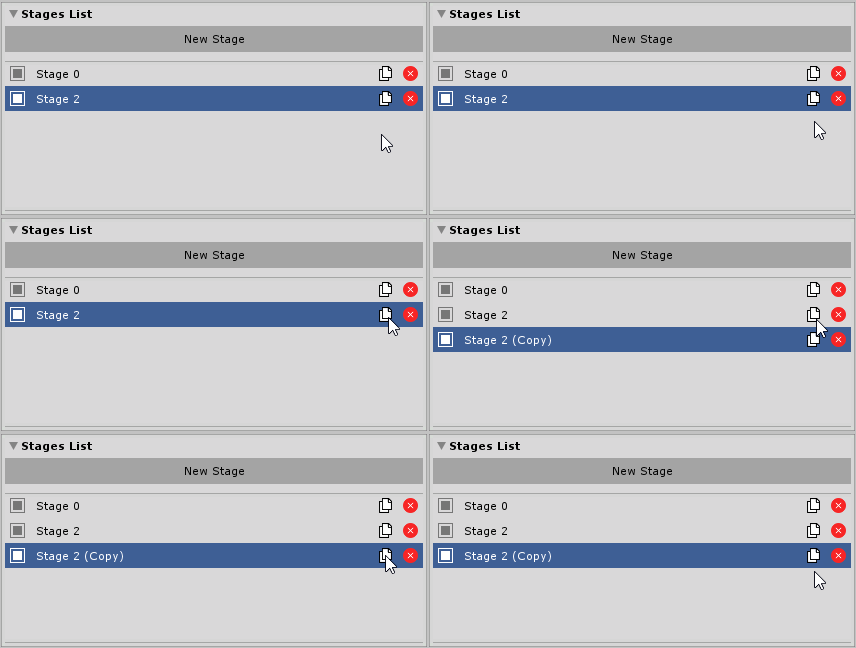
You can also duplicate Stage and its properties by clicking a “Duplicate” icon. It will create a new copy of a Stage and place it after the original one.